Aug 25

Here’s a collection of some great design rules that should be considered when doing web-design. But a few of these are good rules for any artwork in general. A few of these we’re even going to cover in class… (via 3.7 Designs)

Jul 27

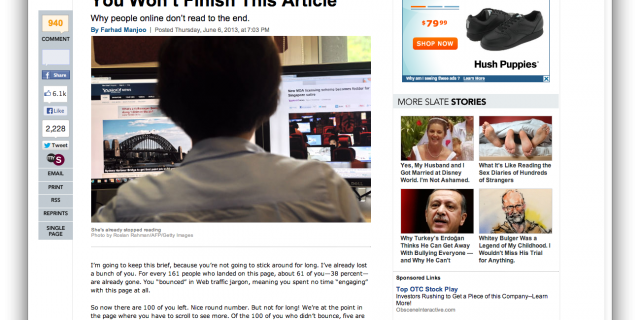
Stumbled across a tweet that led me to this older study “How Little Do Users Read?” (via Jakob Neilsen’s Alertbox)

Apparently, not very much. In summary, (even though this article is 3 years old) people were already only reading at most 28% of your words on an average visit, spending maybe 4.4 seconds on each 100 words. I’d wager a guess that maybe now, 3 years later, these numbers have dropped…viewers spending even less time dwelling on your site and absorbing even less content.

My own site visitation numbers seem to correlate that finding. I think I average about over 8k visitors per month (where are you?), but a good portion of that traffic dwells here less than 4 seconds. They probably see what terrible writing I have and leave faster than they can hit the back button.

Anyway, it’s good to keep that article to support me when I’ve been urging clients to trim content into bite-sized chunks as much as possible.

Jul 02

I’m trying to avoid being Apple-centric…but with the release of the iPhone4 just last week, it’s hard to avoid at least some kind of conversation about it. I actually saw my first iPhone4 in hand yesterday….a associate of mine actually braved that long line to get one. I must say that Retina display is pretty pretty pretty nice.

OK, enough stroking Steve Job’s ego. Here’s a recent little thing a friend of mine asked me to do the other day — she asked me how to create a custom icon for her website on her iPhone. There was another local company charging people money for this service saying how they’re the “only people in town who did this….” Pfffffffffffffffft.

Turns out it’s incredibly easy…honestly this will take you less than 2 minutes to do it. Here’s what you do:

Open your favorite graphic program and make a new file that’s 45×45 pixels. Keep it 72dpi if you like….possible the new retina displays on the new phones can handle a higher resolution but I don’t have one to test (buy me one?)

Now create your artwork….doesn’t need any further flourish. You don’t need to round the corners, nor do you need to put any kind of reflective layers on it either. The iPhone will do that automatically.

Now save your file as a .PNG file and name it “apple-touch-icon.png“.  Upload it to the root directory of your website.

That’s really it. See?  2 minutes maybe?  5 minutes tops?

The next time you open up your website in the iPhone Safari browser, click on the little plus “+” icon and select “Add to Home Screen“. Viola! Your new icon should turn up. Needless to say anyone who bookmarks your site on their iPhone (should you be so lucky) will have your new icon appear on their phone.

Jun 17

With so much possible these days in the area of online design, about the only thing holding a developer back is time, budget, and the ever-present browser compatibility. It’s still neat to look at demos of what’s possible though. Like this great collection of tutorials and examples of what you can do with CSS3. There are a lot of examples where folks have replicated Flash effects, down to techniques about how to replicate Photoshop graphics with it as well.

Some of the demos are more fun than practical…like the coke can demo above, but still very cool and inspirational nonetheless. (via Roman Cortes)

Jun 08

The words of the day are “Free Fonts” AAAAAAHHH /end my best Pee Wee Herman impersonation.

You know, I don’t think I’ve EVER had the opportunity to use a handwritten script font in a project, which either means I’m unlucky in my projects, or I haven’t been creative enough. But either way, it’s nice to see there are some available options to use that won’t cost and arm and a leg. There are some nice ones on the list that look remarkably like some of the expensive fonts I see in the Adobe font collection. Hmmm. (via WebDesignerWall)

May 27

I ran across this nice site by what looks to be an Italian designer, Andrea Gnesato. Very fun layout and my favorite part about it is there’s not one bit of Flash in site. Again, I have nothing against Flash as a medium, but I think when you can accomplish something beautiful using the simplest methods available it impresses me.

What I like about this layout is its clever use of space throughout the site.

I had an idea similar to this almost 10 years ago…not quite executed as nice as Gnesato’s site, but back then there were a lot more limitations in place than there are now. God, has it been 10 years?  I’m feeling old now…

May 21

A friend of mine forwarded me an email link today to this Dutch website. It might be an old chain letter I don’t know. As always I immediately thought it would be a phishing link or something but lo and behold it was nothing but a light joke.

It doesn’t take a lot of figure out how this is done. (I found it funny the email commentator said some “great programmer” did this tee hee) But nonetheless a cute little animation and sure enough, it’s getting attention as intended.

May 19

Got a link to this article about the “7 Personality Types of Designers Today”. (via WebDesignerDepot)

I see a bit of myself in almost every one of these…good stuff, bad stuff, things I’m glad I got over, and things I’d want to be. A little food for thought.

May 13

Today I had to do a 10 minute presentation to my business networking chapter. Since a fellow member had suggested I talk about website design today I tried to think of a subject for them that wouldn’t bore them to tears.  I could easily talk about HTML code and scripting all day long but I think I’d lose their attention in about 20 seconds.

So what I did was come up with some tips I thought were important characteristics in being a good web-designer. I came up with 4.5 points for now…I know, a good number like 5 or 10 tips would have been cleaner but I never claimed I was good with numbers…or tips.

Continue reading »

May 11

Stumbled across this site recently which lists some pretty fun jQuery tutorials including some of the tricks I see a lot on some of the trendier sites out there.  It’s definitely got me inspired with a couple of these techniques.

Continuing on this discussion floating around on the Web these days…jQuery (Javascript) has long been an alternative way to accomplish neat web tricks without having to resort to Flash. It’s just that for a while now, some of the more graphic related tricks have been hard to accomplish with javascript. It seems like it’s definitely catching up though…it’s easy to implement, code is free, and combined with CSS – there’s a lot of tricks you can do as evidenced by the tutorial samples. If you have a website that uses JS, you can assume it’s marginally more accessible than if you had a Flash website. That’s always a good thing to aim for even if it’s never a perfect solution.

This article on “Flash vrs Javascript (jQuery) Pros and Cons” has a pretty good summary of the comparison between the two.  (via CoDrops & LogicPool)